

Connect source via webhook
Airlead can receive leads directly from a website, CRM, form tool, or partner system. You do not need Make, Zapier, or another middleware tool when the sending system can POST JSON to a webhook URL.When to use this
Use the webhook source when you want to:- connect a website form or landing page
- receive structured leads from a CRM or partner system
- avoid building and maintaining a separate automation stack
- map any partner JSON into Airlead fields yourself
- CSV / upload: Import leads from CSV or upload links
- Email: Capture leads from email
- Connect: Airlead Connect overview
What you set up
In Markets, open a channel source and go to Technik. Airlead walks you through four steps:- Verbinden — copy the webhook URL and optional secret
- Sample — receive a real JSON payload
- Zuordnen — map fields, including automatic mapping
- Live — publish the mapping and switch to production
Before you begin
You need:- a Markets channel
- an API / webhook source on that channel
- a product with the fields you want to capture
- a synthetic test lead with no real customer data
1. Verbinden
Open the source → Technik → Verbinden.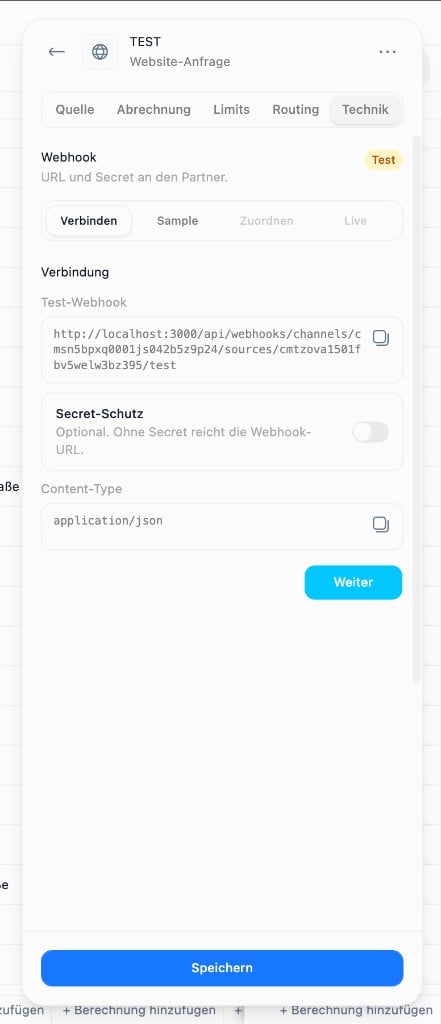
- the Test-Webhook URL
- optional Secret-Schutz
Content-Type: application/json
Without a secret, the URL alone is enough to send data. Enable secret protection before production traffic.
2. Sample
Stay in Test mode and send any JSON to the test URL.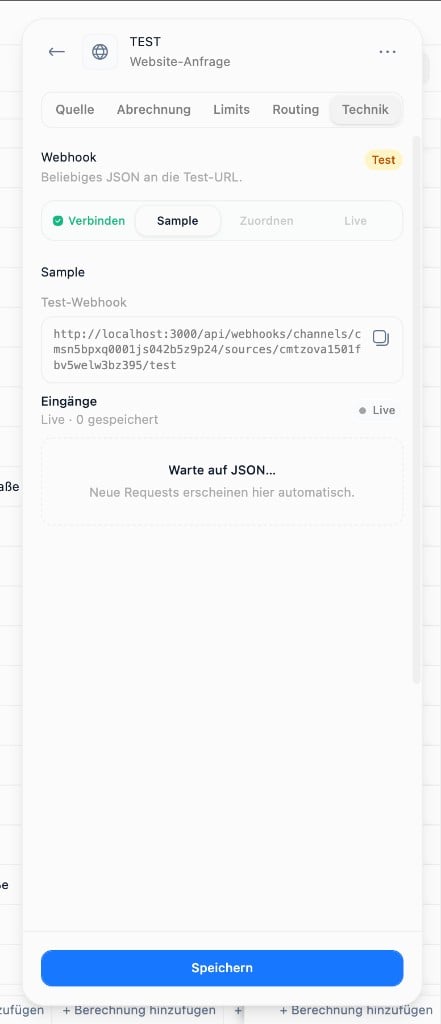
- first and last name
- email or phone
- product qualification answers
- a stable external ID, if available
3. Zuordnen
Open Zuordnen and map the sample into Airlead person, consent, capture, and interest fields.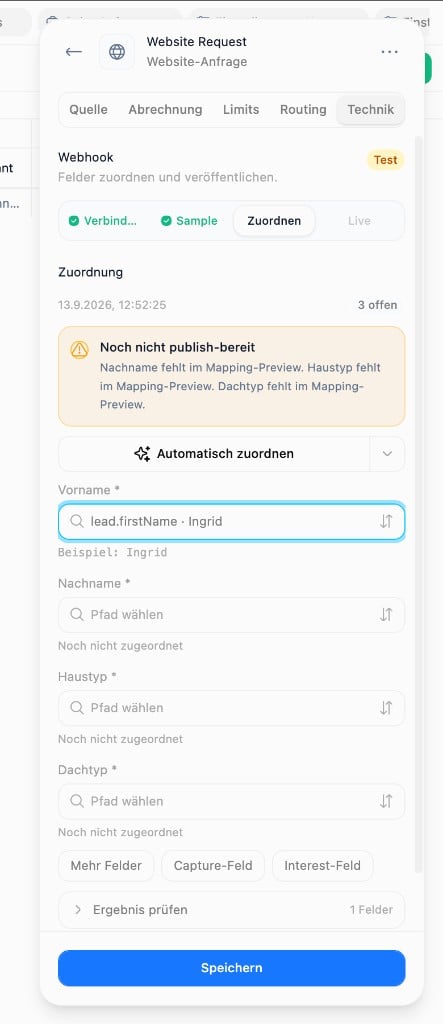
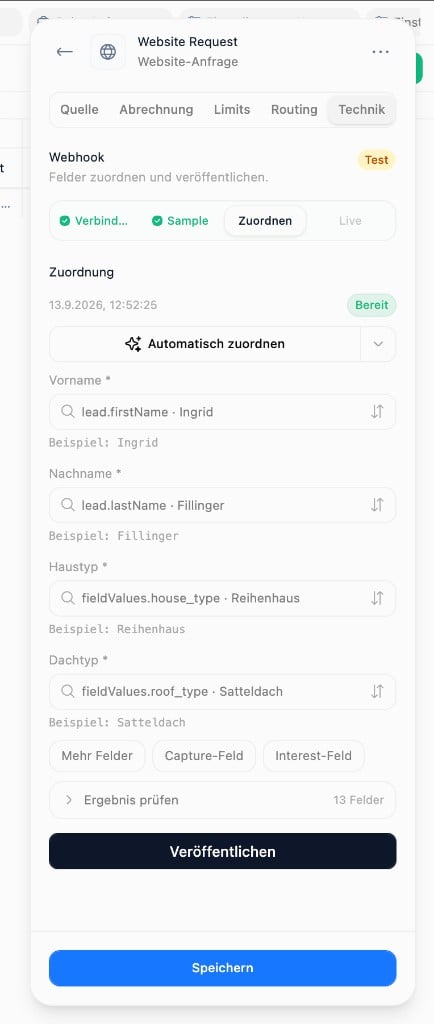
- person identity fields
- consent fields, if required
- product fields used for buyer criteria
- capture fields such as campaign or partner
- the mapped preview under Ergebnis prüfen
4. Live
After publishing, the source shows an active mapping and the live webhook URL.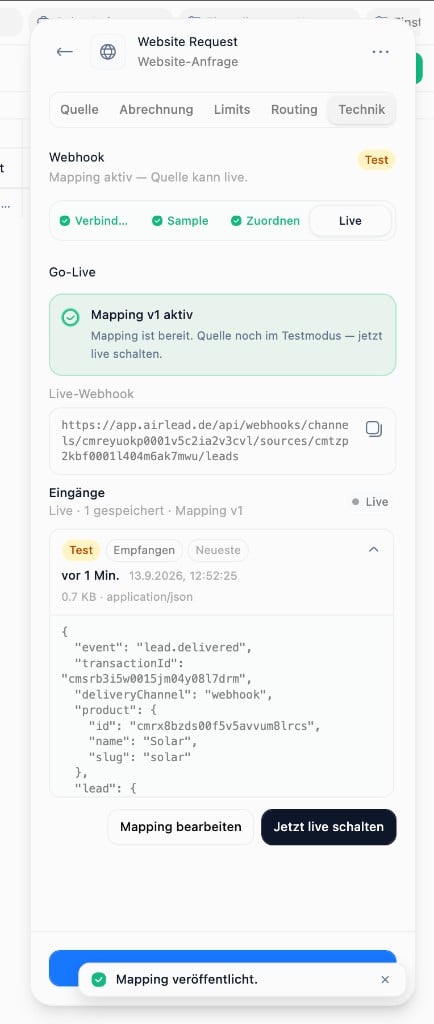
- a synthetic lead maps correctly
- the person and interest appear as expected
- duplicates and external IDs behave correctly
- you do not want test traffic in production delivery
Why this replaces Make or Zapier for many setups
Make or Zapier can still help when you need multi-system orchestration. They are not required for a direct website or CRM connection.
After leads arrive
Ingest creates the person and interest. Delivery is separate. Next:- Confirm the interest is in the intended channel
- Check routing readiness and buyer eligibility
- Deliver manually once
- Enable Delivery 1.0 only after the path works